Bitget Gold/Indices zero-fee account launch guide: Everything you need to know about the new mode
As a globally recognized financial trading platform, Bitget is committed to providing traders with more flexible, efficient, and transparent trading solutions. Its GOLD/INDICES offering covers a wide range of products, including forex, precious metals, energy, and stock indices, catering to traders with diverse strategies.
To further enhance the user experience, Bitget GOLD/INDICES has officially launched the zero-fee mode , a commission-free account model for users with different needs. This guide provides a detailed overview of the zero-fee mode, its differences from the ECN mode, and step-by-step switching instructions to help you get started quickly.
Mode overview
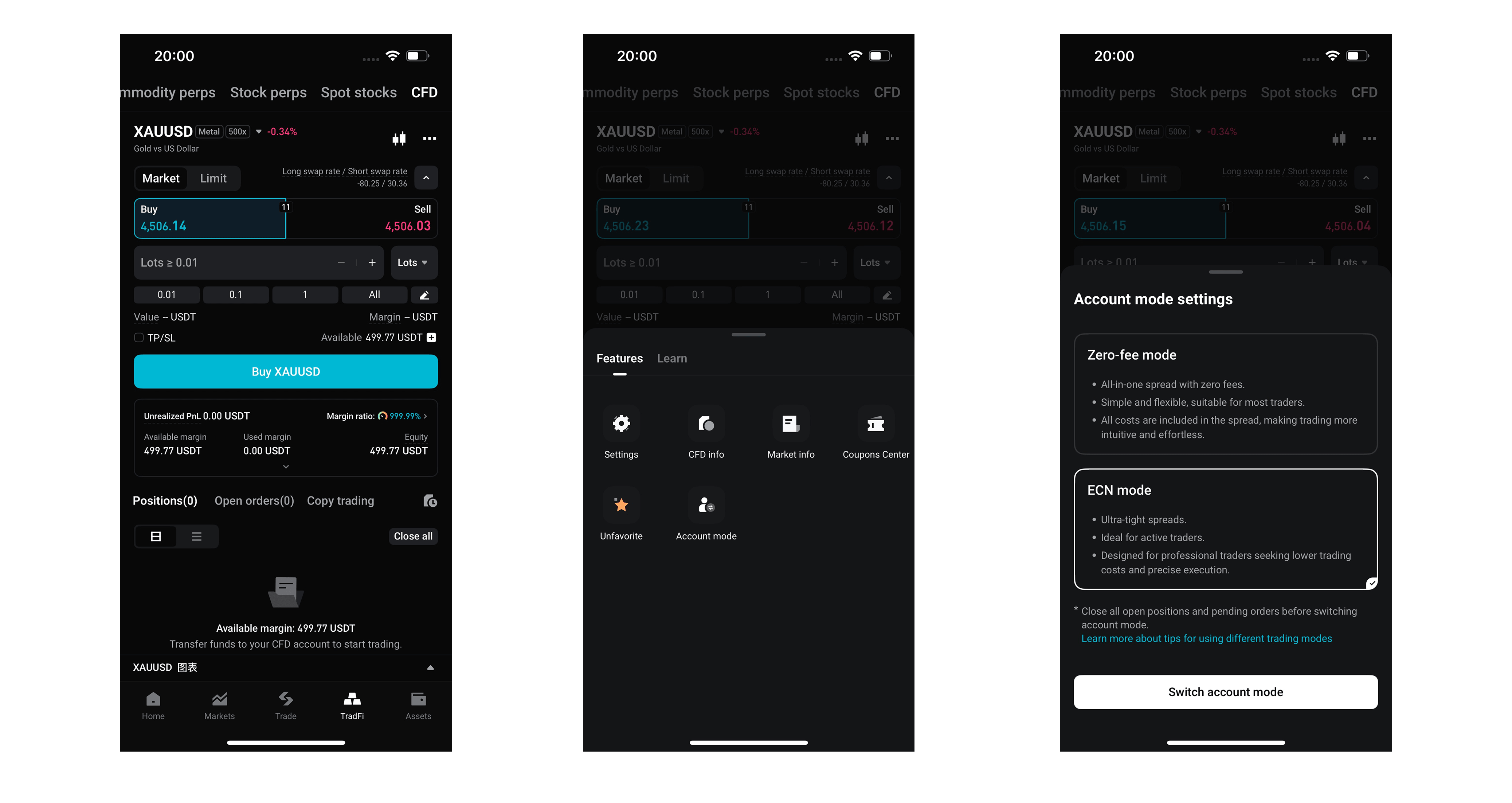
ECN Mode: The platform's original model, offering spreads close to the raw market while charging a commission based on the product type and lot size. ECN mode features transparent spreads and is suitable for short-term intraday traders and high-frequency traders.
Zero-fee mode: A newly launched feature for Bitget GOLD/INDICES. Users pay no trading commission, making statements clean and easy to read. It is ideal for medium- to long-term position traders and low-frequency traders. Under this model, the trading commission is waived, and the trading cost is reflected in a markup on the base spread, meaning the spread will be slightly wider than in standard ECN mode.
- App: Bottom navigation TradFi → Tap ··· in the top-right corner → Tap Account Mode → The switch window will pop up.
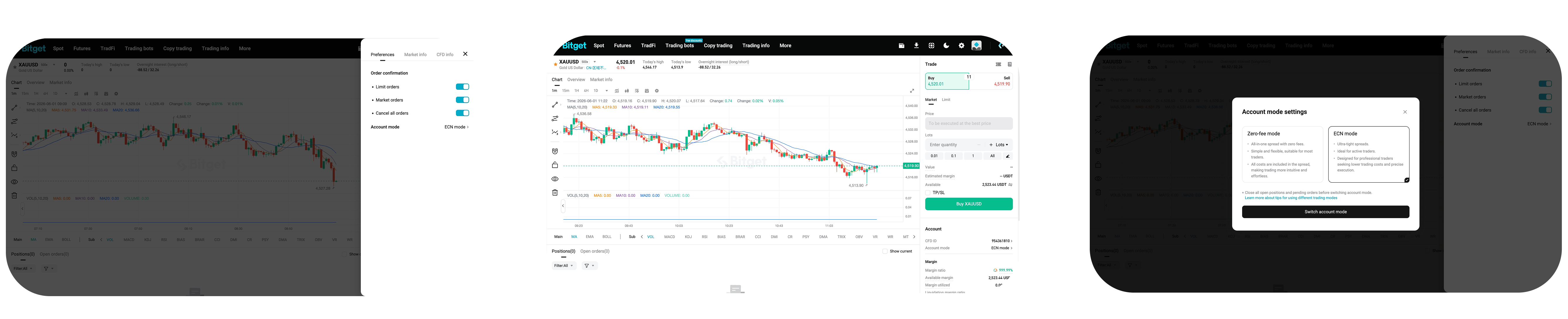
- Web: Go to Account Page or Preferences Settings → Click Account Mode → The switch window will pop up.
Join Bitget, the world's largest Universal Exchange (UEX)
Share